


Lumina - Your AI Confidant
4.5242.00 Reviews
App Specs
- Version
- 1.0.4
- Updated On
- License
- Free
- Downloads
- 100,000+
- Developer
- Shenzhen Boqing Automation Co., Ltd.
- Categories
- Entertainment
- Platform
- Android
Screenshots

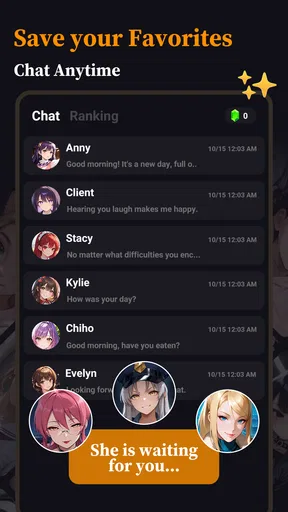


 Analysis by AppCompare
I approached Lumina - Your AI Confidant as an entertainment app for people who enjoy conversations with an artificial character, not as a replacement for a messaging service or a practical assistant. Its central idea is simple: you create or enter story-like conversations and use AI roleplay to keep them moving. In my experience, that makes it most interesting when I treat each chat as a small writing space with a clear mood, rather than expecting every reply to feel like a perfectly consistent human conversation.
The app is free to download, which makes it easy to test without committing money at the start. It is published by Shenzhen Boqing Automation Co., Ltd., and its Android listing places it in the entertainment category. The mature rating matters here: this is not an app I would hand to a child, and adults should still think carefully about the kind of roleplay they want to encourage. Its store presence is fairly new, with a release date of October 20, 2025, but it has already reached over 100 thousand installs and holds a 4.5 average from around 1.8 thousand ratings.
How I use Lumina for a dependable roleplay session
My best results came from starting with a situation instead of a vague request. “Talk to me” gives the AI very little direction, while a short setup such as “You are a reserved detective meeting me in a quiet station after a failed investigation; keep the tone tense but conversational” gives the exchange a usable frame. I then add what I want my own role to be. That second part is easy to overlook, but it prevents the conversation from turning into a monologue written entirely by the AI.
I also decide how much control I want before beginning. For casual entertainment, I let the character lead and answer naturally. For a story I want to continue later, I establish the relationship, location, current problem, and boundaries in the first message. This creates a practical baseline that is more reliable than trying to repair a confused conversation several turns in. If the opening is too broad, the AI may jump between tones or introduce details that make the scene harder to manage.
A useful everyday scenario is a short evening writing exercise. I might use a fictional travel companion to turn an ordinary train journey into a mystery, replying as myself while the AI supplies observations and questions. The exchange works best when I give it one decision at a time: inspect the suitcase, question the passenger, or leave the carriage. That rhythm keeps the roleplay interactive instead of asking the app to write an entire story without my involvement.
For people who enjoy character chats, the appeal is the low preparation time. I do not need to outline a full plot or write several pages before something happens. I can begin with a premise, correct the direction when needed, and stop whenever the scene loses energy. Compared with a traditional interactive fiction app, Lumina feels less like choosing from fixed branches and more like improvising with a responsive partner. The trade-off is that the results are less predictable and may require more guidance.
I would not use it as my primary note-taking tool, diary, therapist, or source of serious advice. The roleplay format encourages engagement, but an entertaining response is not automatically a reliable or emotionally appropriate one. When a conversation touches on personal distress, I keep the fictional framing clear and treat the output as generated entertainment. That distinction is especially important because the mature age rating signals that adult themes may be part of the intended audience.
Worth Reading Before You Choose

EA SPORTS FC Mobile 26 Is a Bigger Football Game, but It Takes Time

Flipboard Shows What News Apps Must Do Beyond the Feed

Switching to Android Auto Means Rethinking Your Driving Routine

Google Calendar Makes a Crowded Week Easier to Manage

Ludo King Makes the Most of the Minutes Between Plans

Baby Panda World Brings Quick Play to Modern Phones, but Its Game Library Feels Busy
Give the first message a job
One of the most effective habits is to make the opening message do four jobs without becoming a long instruction sheet. I name the setting, describe the character’s attitude, explain my role, and state the immediate objective. For example, I might specify that the character is suspicious but not hostile, that I am an unfamiliar witness, and that the first goal is to decide whether to reveal a piece of evidence. This gives the AI enough material to respond with purpose while leaving room for me to shape the next turn.
I avoid stuffing the opening with a complete biography, ten rules, and a detailed ending. That can make the exchange feel rigid, and it leaves little room for discovery. A compact setup is easier to repeat and edit. If the conversation later drifts, I can restate the one or two facts that matter most instead of rebuilding the entire scene.
Another practical technique is to write actions separately from dialogue. I use a clear format such as “I place the letter on the table” followed by the spoken line. This helps distinguish what my character does from what my character says, which is particularly useful in investigation, romance, or suspense scenarios. It also gives the AI more concrete material to react to than a series of short, context-free questions.
Settings and boundaries worth checking before you settle in
Before spending a long session in Lumina, I look through the available conversation and account controls rather than jumping straight into roleplay. The exact value of a setting depends on what the current version exposes, but the principle is consistent: check how conversations are started, how they are managed, and what purchase prompts may appear. This is a free app with in-app purchases ranging from $3.49 to $99.99 per item, so I prefer to understand the upgrade path before becoming invested in a particular character or story.
The current version is 1.0.4, and that makes it sensible to revisit the settings after updates. Early versions of an AI entertainment app can change their conversation flow, controls, or presentation over time. I do not assume that a preference I found once will remain in exactly the same place. A quick review before a major roleplay session saves frustration, especially if I want a quiet experience without unexpected interruptions.
I also decide in advance whether I am comfortable using the app for personal-feeling conversations. Even when the character is fictional, the tone can become intimate quickly. I keep identifying details out of prompts and avoid treating the app as a private confidant for sensitive real-world information. That is not a criticism unique to Lumina; it is a sensible boundary for any AI chat product, and the mature audience makes the reminder more relevant rather than less.
For parents, the answer is straightforward: I would not install it for a younger user simply because it is free. The mature 17+ content rating should guide that decision. Adults who share a device should also remember that a roleplay app can produce conversations they would not want displayed casually in a family setting. A screen lock and sensible account habits are more useful here than assuming an entertainment app is automatically harmless.
Repeatable patterns that make replies more useful
Experienced use is less about finding one perfect prompt and more about repeating a small workflow. I begin with a scene card in my own notes: location, character goal, my goal, tone, and one fact that must remain true. I paste only the relevant portion into Lumina when starting or redirecting a conversation. This keeps prompts focused and makes it easier to resume a story without sending a huge block of background every time.
When a reply goes off course, I do not argue with every sentence. I send a short correction that identifies the desired change: keep the same location, remove the new character, and return to the unanswered question. Specific corrections usually work better than “be better” because they tell the AI which part of the scene needs repair. If the problem is a contradiction, I repeat the correct fact once and continue rather than turning the chat into a debate about its memory.
I use a two-stage pattern for longer scenes. First, I ask for an immediate response from the character. Then, after my next action, I ask for a consequence or a new choice. This prevents the app from racing through the whole plot. It also gives me more control over pacing, which is one of the main reasons to choose AI roleplay over reading a finished story.
A less obvious but valuable habit is to end a session at a stable moment. Before leaving, I ask the character a final in-world question or create a clear unresolved objective, such as locating a missing key or deciding whom to trust. When I return, I can paste a compact recap and continue from a meaningful point. Stopping in the middle of a confused exchange makes the next session much harder to recover.
For quick entertainment, I use a “small scene” approach: one location, two characters, and one immediate problem. This is where Lumina feels most efficient. It can turn a spare ten minutes into a conversation with a recognizable direction. For a full novel-length project, however, I would pair it with a separate writing tool. The app is better at generating interactive moments than at replacing a structured manuscript workflow with chapters, revision history, and deliberate continuity management.
Where the AI roleplay becomes difficult
The main limitation is the same quality that makes the app flexible: the conversation is generated rather than authored in advance. Character consistency can weaken, emotional reactions can arrive too quickly, and a carefully established detail may need to be repeated. I find this manageable in short scenes, but it becomes more noticeable when I expect a long-running story to remember every relationship, object, and earlier decision without my help.
That means Lumina rewards active participation. If I want to sit back and receive a polished story, a conventional audiobook, visual novel, or edited fiction app is usually a better choice. If I enjoy correcting, choosing, and improvising, the occasional awkward reply becomes part of the process rather than an automatic deal-breaker. The right comparison is not “AI versus perfect writing”; it is “interactive flexibility versus editorial control.”
There is also a difference between emotional realism and emotional usefulness. A character may respond warmly, dramatically, or sympathetically because that keeps the scene engaging. I do not interpret that as evidence of understanding in the human sense. The app can imitate the shape of a confidant, but I would not make important personal decisions based on its replies or allow it to replace real support from trusted people and qualified professionals.
Cost is another point to watch. The download is free, but individual in-app purchases can reach $99.99. I would set a personal spending limit before experimenting with the app, especially if a long conversation makes paid options feel like a way to preserve momentum. The free entry point is useful for evaluating the style, but it should not be confused with unlimited access to every possible experience.
Performance expectations should also remain realistic. AI conversations depend on the quality of the prompt and the service’s ability to generate a suitable reply, so a slow or repetitive exchange can interrupt immersion. When that happens, I shorten my instruction, restate the scene’s goal, and ask for one concrete response. If the issue continues, I end the scene rather than spending more time trying to force it into shape.
Who will enjoy it, and who should choose something else?
Lumina is a good fit for adults who like character-driven improvisation, conversational storytelling, and low-pressure creative play. It is especially useful for someone who wants to test a premise before writing it, practice dialogue between contrasting personalities, or fill a short break with an interactive fictional situation. The 4.5 average from roughly 1.8 thousand ratings suggests that the basic concept is connecting with a meaningful audience, while the install count shows that it is not limited to a tiny experiment.
I would recommend it to a friend who understands that the quality of the session depends partly on their own direction. Someone willing to define a setting, correct drift, and keep a short recap will get more from it than someone who enters with no idea what they want. The app becomes more enjoyable when I treat it as a collaborative prompt engine rather than a magic storyteller.
I would steer younger users away because of the mature rating. I would also suggest another category of app for anyone seeking factual answers, organized personal records, professional mental-health support, or a tightly edited story with dependable continuity. A standard chatbot may be more convenient for practical questions, while a visual novel or conventional fiction app may offer stronger pacing and artistic consistency. Lumina’s advantage is the space between those options: it lets me participate directly in a scene without requiring a fixed menu of choices.
For writers, it is best used as a rehearsal room. I can ask how a suspicious character might react, test whether a conflict produces interesting dialogue, or explore several possible openings. I still need to judge the material myself. AI-generated suggestions can be useful sparks, but they can also be familiar, melodramatic, or inconsistent. The app helps me discover possibilities; it does not remove the need for editing or taste.
My verdict after building a repeatable habit
After using Lumina with a structured opening, a compact scene recap, and short corrective prompts, I found it more satisfying than when I approached it as an endlessly available chat partner. The strongest sessions were focused and interactive: I knew the mood, gave the character a reason to respond, and made decisions instead of asking the AI to carry everything. That workflow also made its limits easier to live with because I was not expecting perfect long-term memory or polished fiction every time.
The app’s free starting point makes experimentation accessible, but the mature audience and purchase range deserve attention before regular use. I would check the controls, protect personal information, and decide what kind of roleplay belongs on my device. Those small habits matter more here than chasing elaborate prompts, because a clear boundary and a manageable scene produce better entertainment than an overcomplicated setup.
My bottom line is that Lumina works best as a guided creative companion for short, repeatable roleplay sessions. It is not the right choice for children, serious advice, or readers who want a finished story with no rough edges. For adults who enjoy shaping dialogue, testing fictional situations, and returning to a scene with a simple plan, it offers a flexible way to make idle time more imaginative. I would recommend trying the free experience first, learning how much direction its AI needs, and only then deciding whether the paid options fit the way you actually use it.
Pros
- Offers a private-feeling space for personal thoughts and daily reflections.
- AI replies are available anytime
- without scheduling or waiting for a person.
- Simple chat-based design makes it easy to start sharing immediately.
- Can help users organize emotions and identify recurring concerns.
- Useful for journaling
- self-check-ins
- and brief motivational conversations.
Cons
- AI responses may feel generic when discussing complex personal situations.
- Should not replace professional mental-health care or emergency support.
- Privacy depends on the app’s data policies and account settings.
- Some useful features may require a subscription or in-app purchase.
- Occasional misunderstandings can lead to advice that does not fit your context.
FAQs for Lumina - Your AI Confidant
What is Lumina – Your AI Confidant designed for?
Lumina – Your AI Confidant is an AI-powered companion intended for conversation, reflection, brainstorming, and everyday emotional support. You can use it to discuss your thoughts, ask questions, explore personal goals, or simply have a casual chat. It is best understood as a digital conversational tool rather than a replacement for trusted friends, professional counseling, medical care, or emergency assistance.
Does Lumina provide reliable mental health or medical advice?
Lumina may offer supportive responses, suggestions, and general information, but its answers should not be treated as professional mental health, medical, or legal advice. AI can misunderstand context or provide inaccurate recommendations, especially in serious situations. If you are experiencing a crisis, feel unsafe, or need diagnosis or treatment, contact a qualified professional or an appropriate local emergency and support service instead of relying only on the app.
Is my information private when I chat with Lumina?
Before sharing personal details, review Lumina’s privacy policy and the permissions requested by the app. Conversations with AI services may be processed or stored to provide features, improve performance, or maintain account functionality, depending on the developer’s practices. Avoid entering passwords, financial information, identity documents, or highly sensitive personal details unless you clearly understand how your data is handled.
Does Lumina require payment or offer in-app purchases?
The availability of free and premium features can vary by platform, region, and app version. Lumina may provide basic access at no cost while reserving additional conversations, personalization options, or advanced tools for a subscription or in-app purchase. Check the current App Store or Google Play listing carefully, including trial terms, renewal pricing, and cancellation instructions, before confirming any payment.
Can I use Lumina without an internet connection?
Lumina’s conversational features generally depend on an internet connection because messages are processed through online AI services. Without reliable Wi-Fi or mobile data, responses may be delayed, unavailable, or limited. Performance can also vary depending on server availability, connection quality, and the version installed on your device. For the smoothest experience, keep the app updated and use a stable connection.


